Plate Adhesion Issues
Creation date: 1/19/2026 4:17 PM
Updated: 1/19/2026 4:38 PM
Symptom: Prints not adhering to the build plate
Common Causes:
- Dirty build plate
- Damaged build plate
- Improper or missing support structure
Preventative Maintenance:
- Wipe the build plate between prints using 91-99% Isopropyl Alcohol (IPA) (do not use rubbing alcohol, alcohol with fragrances added, household cleaners like Windex, or acetone) on either a terry cloth or a blue paper shop towel (something that is lint-free)
- Periodically clean build plates using dish soap (like Dawn) and water - dry with terry cloth
- Avoid touching the build plate after cleaning
- Wait till the build plate has reached room temperature before removing prints (removing prints early can damage the build plate)
Signs Plate Is Already Damaged:
- Cleaned plate with soap and water, and using brims or other supports, but the adherence issues continue
- Glossy or smooth spots on textured PEI
- Areas where filament won’t stick anymore
- Small bubbles or lifting in PEI coating
- Consistent first-layer failures in one area
- Doesn't lie flat
- Feel scratches
Checking Plate for Damage:
In bright light, tilt the plate so the light hits it at an angle and look for:
- smooth or shiny patches (especially on textured PEI plates), these areas will look flattened or glossy - the light will reflect differently than on the rest of the plate
- scratches, or cuts - visible lines you can feel with a fingernail
- bubbles, small flakes missing or lifted edges (looks like small blisters or raised and curling on the corners
- visible bend or uneven light reflection, or doesn't lie flat (plate is warped)
- color changes (darkened or browned areas) - plate overheated repeatedly
Use Adhesion Aids like Brims - especially for small objects
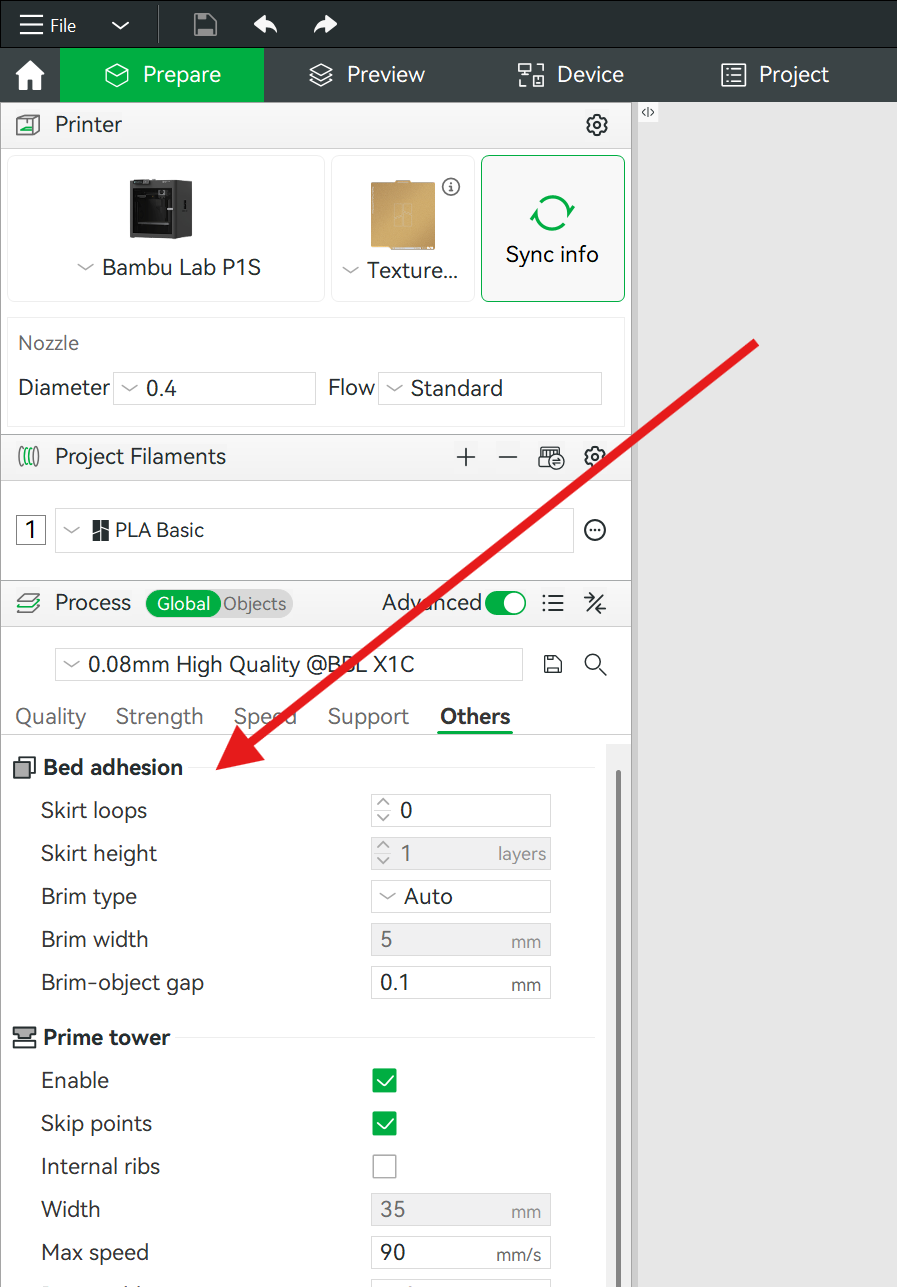
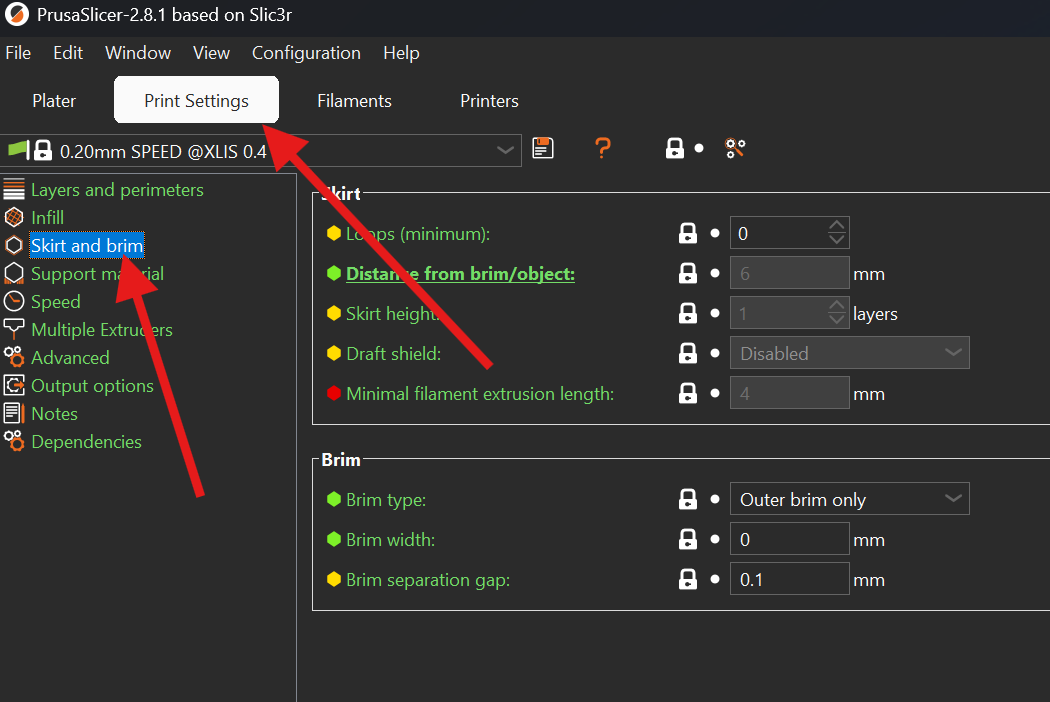
Both Prusa and Bambu Lab software include adhesion options, like brims, designed to help keep small objects stuck to the plate by adding extra lines to the model's first layer, increasing the object's contact area with the plate. Bambu Lab has options for outer and/or inner brims. Prusa has options for brims, skirts, and elephant foot compensation. If unsure what to choose, try an outer brim.
In Bambu Studio, these options are located in Others >> Bed Adhesion.
In Prusa slicer software, these options are located in Print Settings>>Skirt and Brim or Print Settings>>Advanced>>Elephant Foot Compensation
DataImage77.png
DataImage40.png